
Back up your filters
Your filters and settings are saved in the browser you’re using. A backup file lets you:
- move your setup to a new phone or computer,
- go back to a setup that worked after you’ve experimented,
- share your setup with Astu when you need help with your filters.
Export
Section titled “Export”-
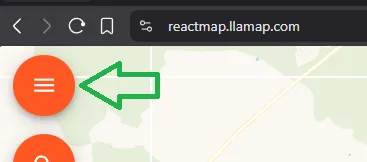
Open the map, log in if needed, and tap the orange menu button (☰) to open the sidebar.
-
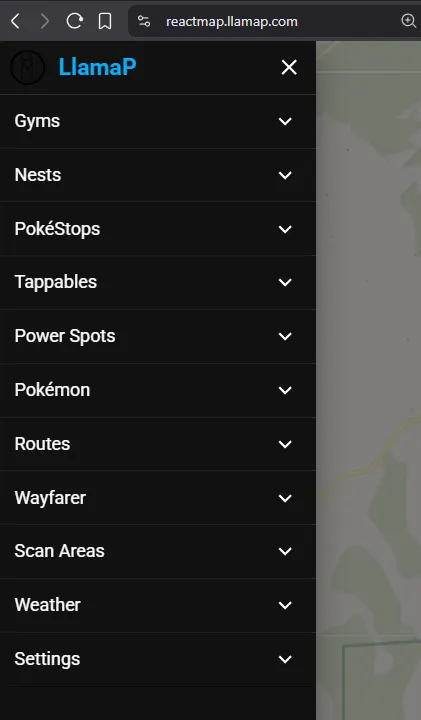
Scroll down and open Settings.
-
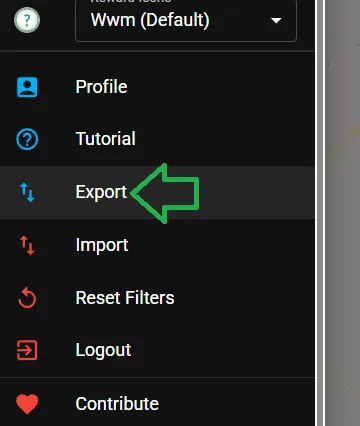
Scroll to the bottom and tap Export.
-
Save the file somewhere you’ll find it again. It’s called
settings.jsonby default.
Import
Section titled “Import”-
Open the sidebar (☰) and go to Settings, as above.
-
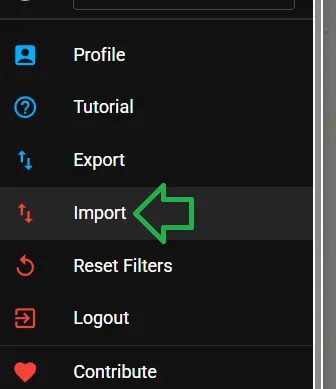
Scroll to the bottom and tap Import.
-
Choose the
.jsonfile you exported earlier. The map loads the filters and settings saved in it.