
Find XXL Pokémon
XXL is the largest size a Pokémon can be. It’s what you want for PokéStop Showcases, which score entries by size: a big XXL of the featured Pokémon puts you near the top.
There are several ways to set it up. Every case starts from an empty slate, like we saw in the filters overview:
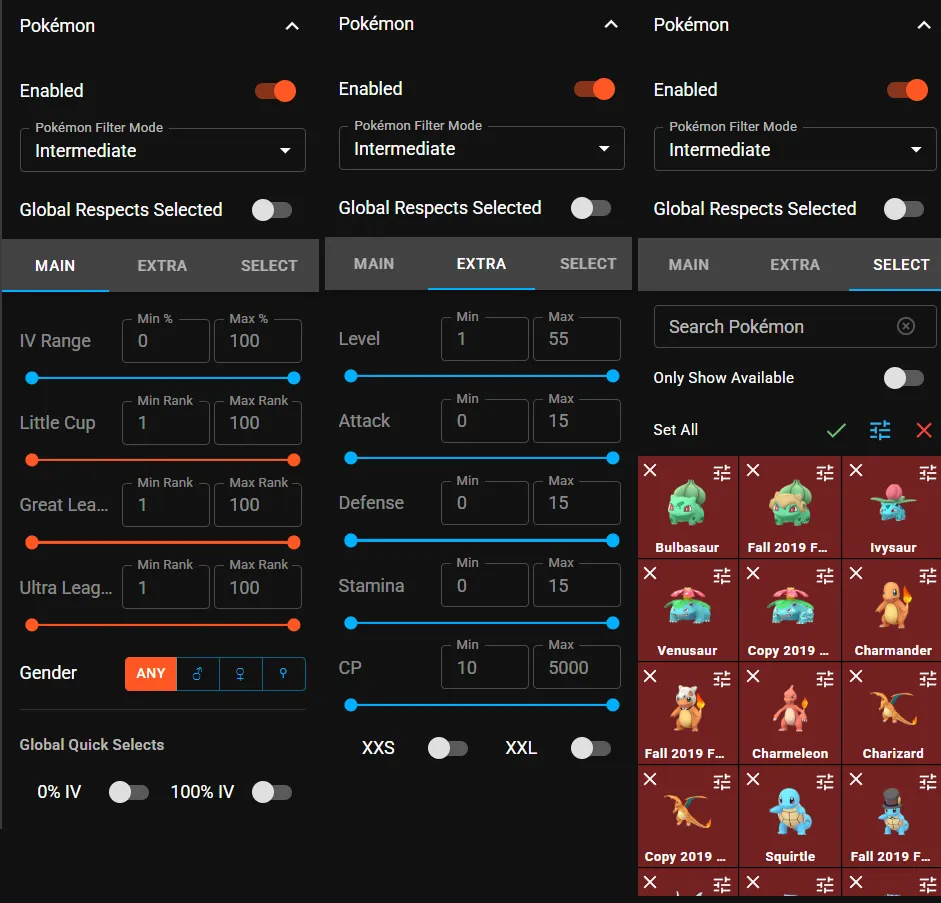
Individual filter (for Showcases)
Section titled “Individual filter (for Showcases)”Use this when a Showcase asks for one particular Pokémon.
- Open the sidebar (☰), go to the Pokémon section and open its filter settings.
- Search for the Pokémon of the Showcase.
- Open that Pokémon’s advanced filter and set Size to XXL.
- Save, and check that the Pokémon is selected.
Now only XXL ones of that species appear on the map.
Global filter (every Pokémon)
Section titled “Global filter (every Pokémon)”Use this to see every XXL Pokémon around, whatever the species.
- Open the Pokémon filter settings as above.
- Instead of a single Pokémon, open the advanced options of the global filter.
- Set Size to XXL and save.
Get an alert instead
Section titled “Get an alert instead”Don’t want to keep checking the map? Ask the alert bot to message you:
| Command | What you get |
|---|---|
/track pikachu size:xxl | XXL Pikachu |
/track everything size:xxl d1000 | Any XXL Pokémon within 1 km |
On Discord, start the commands with ! instead of /.